Student Data Privacy Agreements, Without the Back-and-Forth

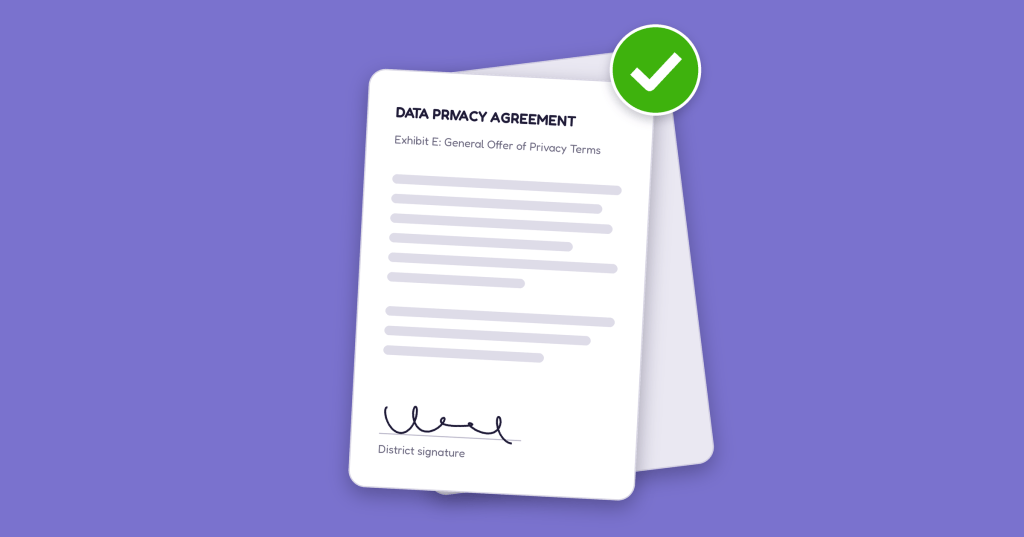
A data privacy agreement document with a green checkmark, indicating approval, on a purple background.

Before a teacher in your school or district can use a new digital tool with students, someone has to make sure it protects student data. Usually that’s a technology director or privacy officer, working through a Data Privacy Agreement line by line and trading redlines for weeks while the tool waits.

We’d like to make that part faster. Our new Trust Center brings everything about how Taito Learning, the company behind TypeTastic, handles student data into one place.

Your Data Stays Yours

Student data belongs to the school district. We process student information only on behalf of, and under the direction of, your school or district. That principle sits under everything else, from how our services run to the agreements we sign with you.

Our services use secure cloud infrastructure and industry-standard security practices, and our privacy practices are aligned with federal and state student privacy laws, including FERPA, COPPA, California’s SOPIPA and AB 1584, and Illinois’ SOPPA.

Agreements Built on a Shared National Framework

Most districts send us their own Data Privacy Agreement, and most of those are based on the Student Data Privacy Consortium’s National Data Privacy Agreement (NDPA). The SDPC, part of the Access 4 Learning Community, created the NDPA so districts and edtech providers could start from shared terms instead of drafting from scratch. Its registry now holds more than 150,000 data privacy agreements from over 6,700 districts.

That means the terms your team already knows are the terms we sign.

Across Much of the Country, You Can Skip the Negotiation

Districts in 39 states take part in the SDPC. Where a district in your state has already signed an agreement with us, you can usually adopt the same terms by signing the General Offer of Privacy Terms, known as Exhibit E, instead of negotiating a new agreement from scratch.

The steps are short:

  1. Search for TypeTastic in your state’s SDPC Resource Registry.
  2. Open our countersigned agreement and download its Exhibit E.
  3. Sign Exhibit E and send it to our compliance team.
  4. Keep a copy for your records.

New York districts will also find the additional documentation required under Education Law 2-d.

Search the SDPC Resource Registry

Some states outside the SDPC have their own statewide route. In Connecticut, for example, TypeTastic is listed in the Connecticut Educational Software Hub.

No agreement with us in your state yet? Send us your district’s DPA and we’ll review it with you.

Questions? Ask Us Directly

Privacy reviews matter, and they shouldn’t hold up good teaching for a whole semester. If your team has questions about how student data is handled, our compliance team is glad to walk through them with you. Write to us at privacy@taitolearning.com.
Explore the Trust Center

Standards Alignment: What the Documents Are Actually For

Somewhere in your state’s education code, there’s a good chance you’ll find a line requiring digital literacy or computer science instruction. For example, twenty states now have K-12 computer science mandates that reach all the way down to kindergarten.

Knowing the requirement exists is one thing. Showing which lessons meet it is another, and that part usually lands on you: the person making the case to a principal, the district office, or a board meeting.

So we’ve done that part for you.

What TypeTastic aligns with

Our lessons in keyboarding, digital citizenship, digital literacy, AI literacy, and computer science are mapped to:

  • Common Core, whose ELA writing standards name digital writing and keyboarding outright. From first grade, students use digital tools “to produce and publish writing.” By third grade, the standard adds “using keyboarding skills” in exactly those words. Our Common Core document maps W.1.6 through W.8.6 to the units that build them.
  • CSTA, the Computer Science Teachers Association standards
  • ISTE, the International Society for Technology in Education standards
  • E-Rate and CIPA internet safety instruction requirements

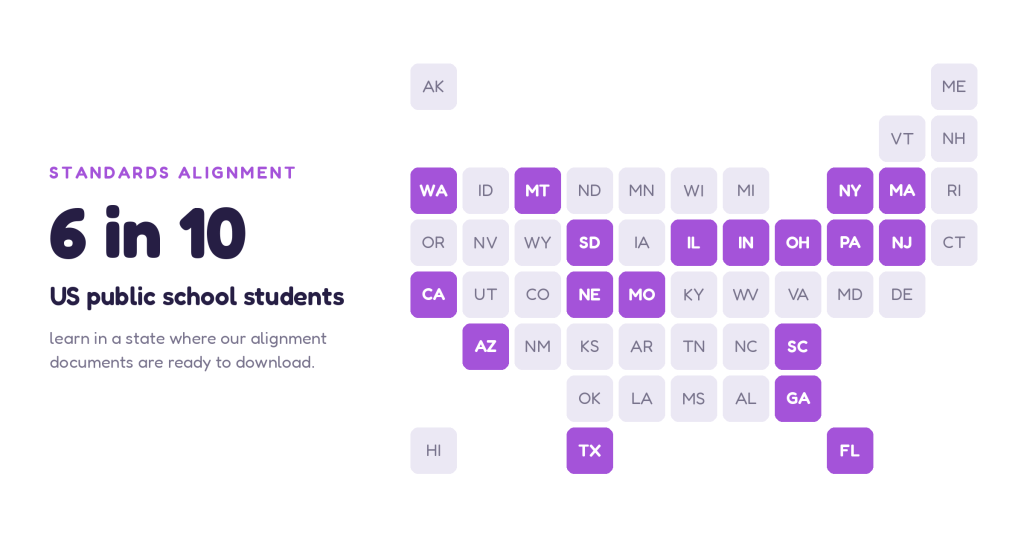
Plus state standards. In most places those are the ones that carry the most weight, and they differ from one state to the next. We publish documents covering the computer science and digital literacy standards for Arizona, California, Florida, Georgia, Illinois, Indiana, Massachusetts, Missouri, Montana, Nebraska, New Jersey, New York, Ohio, Pennsylvania, South Carolina, South Dakota, Texas, and Washington. We’re adding more all the time.

Find your state’s alignment documents

What you get

PDFs organized by state, adoption year, and grade band or grade level, depending on how your state structures its standards. So you’re working from the version your district actually follows.

They’re built to be forwarded. Drop a table into a slide, paste the standard codes into a curriculum map, or send the file to whoever asked.

Three moments these earn their keep

Building a curriculum map. When you’re documenting what your school teaches and where, coverage gaps are easier to spot with the codes in front of you.

Making a purchase case. Standards alignment is usually the first thing the district office or a business office checks. Having it ready in the format they expect saves a round trip.

Answering the coverage question. When someone asks whether your school is meeting its computer science or digital literacy obligations, that’s a question about coverage, and coverage is exactly what these documents show.

Find your standards

Whether you’re mapping a single grade, planning a year, or building a case for your district, the documents are ready.

Explore TypeTastic Standards Alignment

If your state isn’t listed yet, tell us. Knowing which standards our schools are working from is how we decide what to map next, and the sooner the paperwork is settled, the sooner you can get back to the part that matters: students building the skills the standards are there to protect.

TypeTastic.com Gets Its Biggest Update in Years

New with TypeTastic.com

Four million students and teachers use TypeTastic.com every year to learn keyboarding. Starting today, they’ll find a lot more waiting for them.

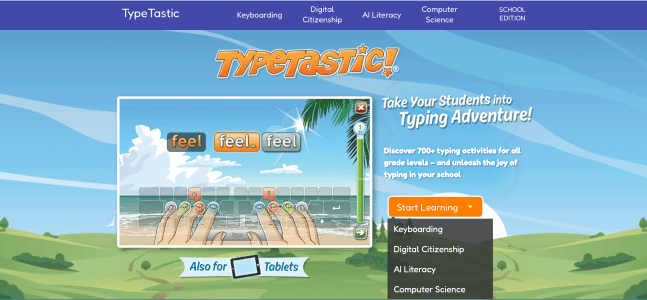
TypeTastic.com is growing from a keyboarding site into a more complete digital literacy solution for elementary classrooms. Same familiar games, same free access, ad-free, no login required. There’s just a whole lot more to explore.

Access the New TypeTastic

What’s new on TypeTastic.com

Keyboarding (K-12)

The lessons you already know and love, from one-finger beginner activities to full speed typing. Nothing has moved and nothing has been taken away.

Digital Literacy (K-5)

Making it possible for students to thrive in the online world the moment they need to. They learn what the internet actually is, how browsers and search engines work, how to communicate online, how to tell reliable information from the rest, and how to find their way around the office software their school already runs on.

Digital Citizenship (K-5)

How you should behave online. Strong passwords and online security, netiquette, recognizing and responding to cyberbullying, and understanding the digital footprint every click leaves behind. These lessons support E-Rate and CIPA internet safety instruction requirements, so the time you spend here counts twice.

Computer Science (K-5)

Understanding how the digital world works. Students look behind the buttons at the hardware a computer is built from, what data is and how it gets turned into charts you can actually read, how devices connect to each other, and what to do when something stops working and needs a human to figure out why.

AI Literacy (Grades 3-5)

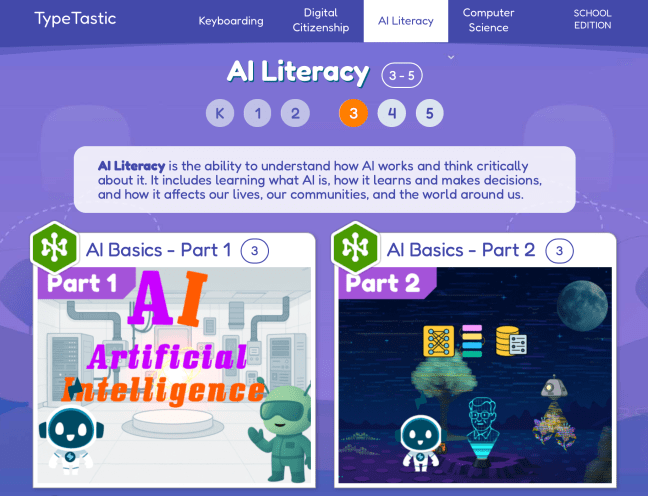
Our newest curriculum. Students learn what AI and generative AI really are, the vocabulary behind them, how AI learns and how it perceives the world, and what it means to interact with it. The lessons also make room for the bigger questions: how AI affects society, what’s fair and what isn’t, and whether it could ever replace friendship and human connection. It’s about understanding AI and thinking critically about it, which is exactly what upper elementary students are ready for.

Access the New TypeTastic

AI Literacy Lessons

Standards aligned, so you can show your work

We’ve aligned every new lesson with leading frameworks including CSTA, ISTE, and state standards, so you can be confident students are building the digital literacy skills your school is already accountable for. It also makes life easier when a principal, curriculum director, or parent asks what a lesson is teaching and why.

The alignment documents are free to download and ready to drop into your planning.

Access Standards Alignment Documents

Want progress tracking too?

Everything above is free and open to anyone. If you’d also like a teacher dashboard, class rosters, and reports that show you where each student stands, you can start a free trial and see the whole picture.

Try it with your class this week

Open TypeTastic.com, pick a grade level, and let students loose on something new. We’d love to hear what your class thinks.

Access the New TypeTastic